How Yeeld
Surcharging for Stripe Works
The Yeeld Surcharging App for Stripe lets merchants recover credit card processing costs through Stripe Checkout and Payment Links, with surcharge logic built around card network and jurisdictional rules.
Install on Stripe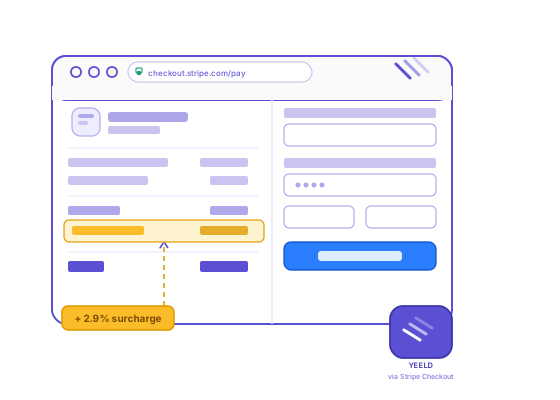

Keep More of Every Transaction
Built for Stripe Merchants

Stop paying out of pocket for credit card processing. Surcharges are calculated and applied automatically at checkout.

Surcharge logic adjusts based on U.S. state requirements, so you're not tracking regulatory changes yourself.

No new payment infrastructure. Yeeld works directly within your existing Stripe Checkout and Payment Links setup, just add one line of code to enable surcharging.
How It Works
Set Up Once.
Start Recovering
Processing Costs.
Yeeld guides you through a step-by-step onboarding flow inside the app, from installation through configuration and go-live.
Configure Your Settings
Set up surcharging for your business: locations, surcharge settings, receipts, disclosures, refund handling, tax treatment, and billing. Then either add one line of code to your Stripe Checkout integration or create Payment Links via the API.
Go-Live
Once setup is complete, Yeeld handles surcharge calculations and disclosure requirements on every transaction automatically.
Pricing
Simple Pricing Options
Yeeld offers flexible pricing based on your volume and use case. There's no upfront fee to install the app. Pricing is configured during onboarding and billed monthly in arrears for the prior period.
Pay Only When You Collect
Yeeld charges a percentage of the surcharge revenue you successfully collect. If no surcharges are collected, you pay nothing.
Volume-Based Pricing
Processing higher volumes? Your rate adjusts automatically each billing period based on transaction volume. The more you process, the lower your blended rate.
Curious about pricing for your business?
Contact UsFrequently Asked Questions
How does Yeeld handle surcharge rules?
Yeeld automatically applies surcharge logic based on U.S. statutory and card network requirements. Rules are updated continuously. You don't need to monitor regulatory changes yourself.
How do you handle regulatory changes over time?
Updates are applied automatically. When rules change at the U.S. state or card network level, Yeeld adjusts without any action required from you.
What if I'm an existing customer on Stripe Checkout? What do I need to do?
Once you've completed onboarding through the Yeeld App, you'll receive everything you need to update your integration. The change is minimal and you'll be guided through it as part of the setup process.
What happens if a customer pays with a debit card?
Surcharging applies to credit card transactions only. Yeeld detects the card type automatically and only applies a surcharge when appropriate.